'Other' Billable Items

Other billable items are often used for custom charges you business may need to charge on a daily basis, outside of the traditional types provided by StayOnHire.

1. Create new

'Other' billable items can be created from the following pages around the app:

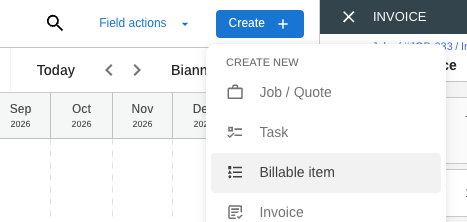
a) The 'Create' main menu dropdown option

Main Menu > 'Billable item'

As this was create from the main menu, we give you the baility to link this to a job in StayOnHire:

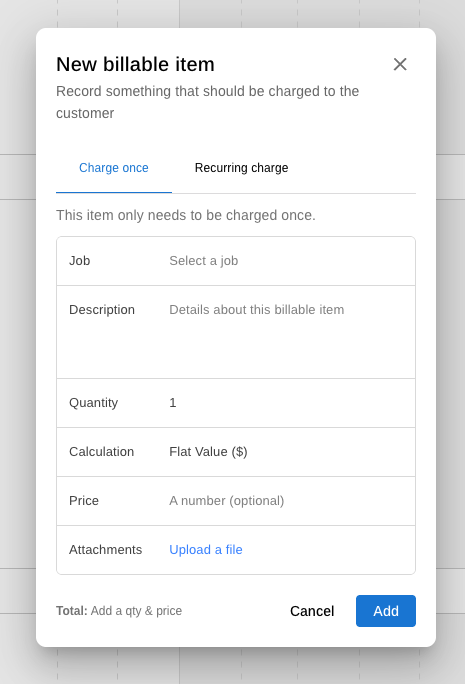
A 'New billable item' popup, with no job link pre-filled
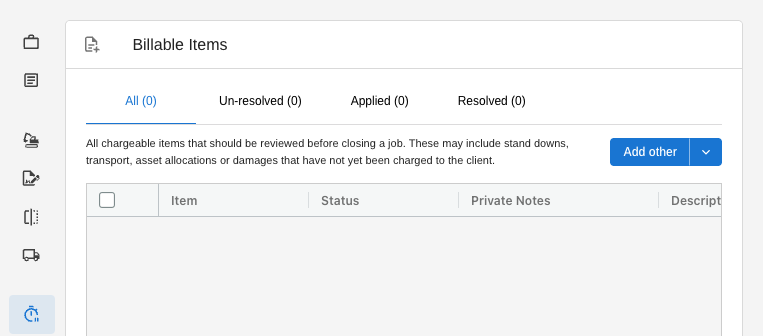
b) The blue 'Add other' button inside a Job's 'Billable Items' page

Open the job > Billable Items > 'Add other"
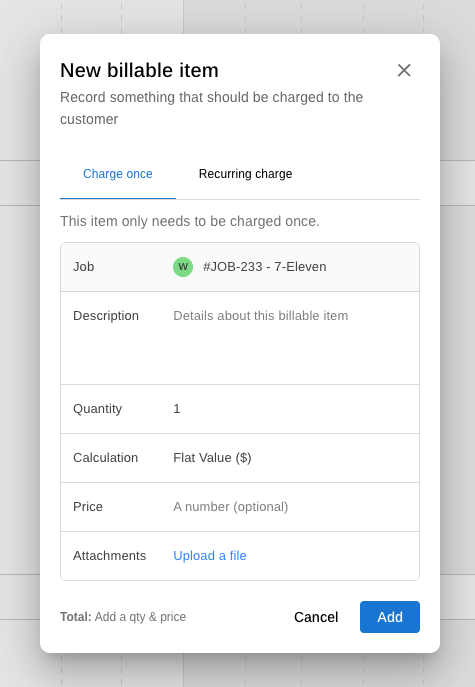
Where you create billable items from with a job, we will pre-ill the job value into the billable item:

A 'New billable item' created within a job, will pre-filled the job value
2. Enter a description

This value is what the customer will see as a line in their invoice.

3. Select a Calculation

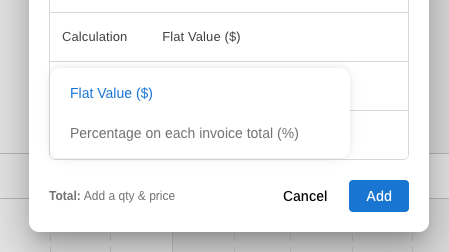
Flat Rate ($) vs Percentage on invoice total (%)

Now you will to select whether you want to charge a flat value or a percentage:

A billable item can be calculated in several ways
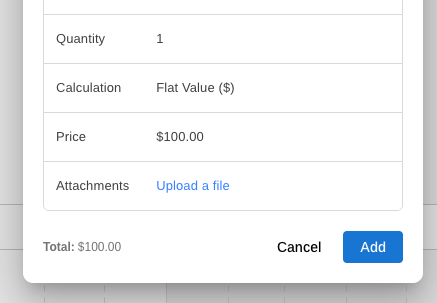
Flat Value ($)

Flat value will allow you to charge, as simply a value.

i.e. 1 x $100.00 = $100.00 total

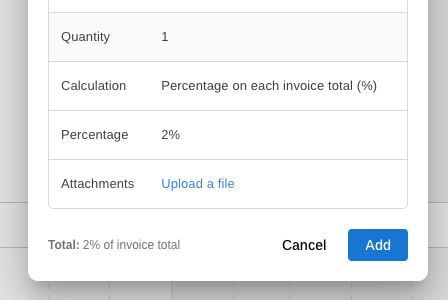
Percentage on each invoice total (%)

A percentage value will chnage based on the invoice's subtotal value.

i.e. 1 x 2% = $100.00 total

Important notes:

  • Percentage charges do not compound i.e. Creating two 10% charges on a job invoice worth $100.00 ex taxes, will create two rows of $10.00 each, subtotalling $120.00.

  • All percentage-based billable items can only have a Quantity locked to "1" This helps create consistency in expected invoice funcitonality and avoid unecessary confusion.

Last updated